A stolen password should not be enough to gain access to a hotel’s email, cloud services or critical systems. Multi-factor authentication adds an important additional layer of protection by requiring users to prove their identity in more than one way.
For hotels, this matters because email and cloud accounts can provide access to guest information, booking communications, shared files, invoices, supplier relationships and other operational data.
The key point: hotels should enable strong multi-factor authentication for users and administrators accessing important online services. Where available, phishing-resistant methods such as passkeys, FIDO2 security keys or Windows Hello provide stronger protection than passwords and basic SMS verification alone.
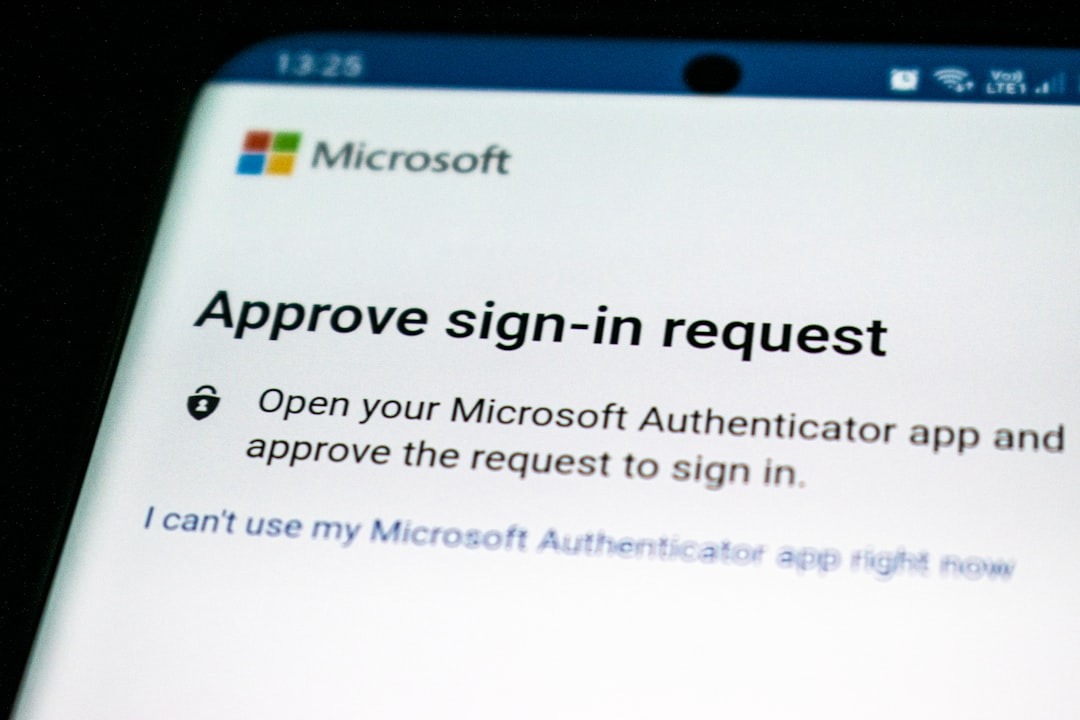
What Is Multi-Factor Authentication?
Multi-factor authentication, usually shortened to MFA, requires more than one form of verification before access is granted to an account.
Two-factor authentication, or 2FA, is a type of MFA using two factors.
In practical terms, a user may enter a password and then confirm the sign-in using another method such as:
- An authenticator application.
- A passkey.
- Windows Hello or another device-based credential.
- A physical security key.
- A one-time verification code.
- SMS or telephone verification where still supported.
The National Cyber Security Centre recommends using MFA to make account access more resistant to phishing and other password-based attacks.
Why Passwords Alone Are No Longer Enough
Passwords can be stolen in several ways.
A member of staff might enter credentials into a convincing phishing page, reuse a password that was exposed elsewhere or have credentials captured by malware.
If the account uses only a username and password, an attacker who obtains those credentials may be able to sign in directly.
MFA means that stealing the password alone should not normally be enough. The attacker must also overcome the additional authentication requirement.
That is why MFA is one of the most valuable identity-security controls an organisation can implement.
Why Email Accounts Are Particularly Important
Hotel email accounts can become valuable targets because email frequently acts as the gateway to other systems.
A compromised mailbox may allow an attacker to view conversations, impersonate an employee, intercept password-reset messages or understand relationships with guests and suppliers.
Depending on the account involved, attackers may also be able to create forwarding rules or use genuine email conversations to make fraud attempts more convincing.
Guest Communications
Reservations, enquiries and guest information may be present in hotel mailboxes.
Supplier Relationships
Genuine email threads can be abused to support invoice or payment fraud.
Account Recovery
Email is often used to reset passwords or recover access to other services.
MFA Matters Beyond Microsoft 365
Hotels should not treat MFA as something that only applies to email.
Any important internet-accessible account should be reviewed, particularly where it contains sensitive information or allows significant changes to be made.
- Microsoft 365 or Google Workspace.
- PMS and booking-platform administrator accounts.
- Online travel agency accounts.
- Payment administration portals.
- CRM and marketing platforms.
- Remote-access systems.
- Cloud backup platforms.
- Network and firewall management portals.
- Domain-name and DNS management.
- Finance and accounting platforms.
- Other cloud services containing hotel or guest information.
The NCSC recommends requiring MFA for users and administrators accessing sensitive data through online services.
Administrator Accounts Need Stronger Protection
Not all accounts create the same level of risk.
An administrator may be able to reset passwords, create accounts, change security policies, access multiple systems or alter how the organisation’s technology works.
That makes privileged accounts particularly important to protect.
Good practice: administrator accounts should use strong MFA and should not normally be shared between several members of staff.
Where possible, users who administer systems should have a separate privileged account rather than performing everyday email and browsing activity using an administrator identity.
Not All MFA Methods Offer the Same Protection
Enabling any appropriate MFA method is generally better than relying on a password alone, but some authentication methods provide stronger protection than others.
SMS codes, for example, add useful protection but can be vulnerable to techniques such as social engineering or interception.
Authenticator applications can improve security further, particularly when number matching or other challenge-based controls are used.
Phishing-resistant methods such as passkeys and FIDO2 security keys go further because they are designed to make it much harder for users to accidentally authenticate to a fraudulent website.
Enable MFA now, then move higher-risk and privileged users towards phishing-resistant authentication where the platforms and devices support it.
Microsoft 365 Is Moving Towards Stronger Authentication
Microsoft continues to strengthen authentication requirements across Microsoft Entra ID and Microsoft 365.
Security Defaults can require users to register for MFA and require stronger verification during sign-in. Microsoft also supports passkeys through Microsoft Authenticator, along with Windows Hello for Business and FIDO2 security keys.
Microsoft is increasingly steering organisations away from weaker authentication methods and towards phishing-resistant options.
Do not wait for a platform to force the change. Hotels should review authentication methods as part of their own cyber-security programme rather than relying only on future vendor enforcement.
MFA Does Not Make an Account Invincible
MFA significantly improves account security, but it should not be treated as a complete defence on its own.
Attackers may attempt to trick users into approving unexpected authentication prompts or use other methods to steal active sessions.
Staff should therefore understand that an unexpected MFA request can itself be a warning sign.
- Do not approve an authentication request you did not initiate.
- Check number-matching prompts carefully.
- Report repeated unexpected MFA requests.
- Never give authentication codes to somebody over the phone or by email.
- Report immediately if credentials were entered into a suspicious website.
MFA Can Help Reduce Booking and Guest-Facing Fraud
Account takeover is particularly relevant in hospitality because compromised accounts may contain genuine booking or guest information.
That information can make subsequent phishing and payment scams appear much more convincing.
Protecting email, booking-platform and administrative accounts with MFA therefore helps protect both the hotel and its guests.
Read our guide to booking scams, phishing and guest fraud for more detail.
Do Not Forget Shared and Generic Accounts
Hotels often have accounts with names such as reception@, reservations@ or accounts@.
Ideally, staff should access shared functions through individual identities rather than several people signing directly into the same account using one password.
Individual accounts improve accountability and make it easier to remove access when employees change roles or leave the business.
Shared mailboxes should normally be accessed through users’ own accounts and delegated permissions rather than by distributing a shared mailbox password to the team.
Former Employees Are an Authentication Risk Too
MFA cannot compensate for accounts that should no longer exist.
Hotels frequently have seasonal teams, department changes and staff turnover, making joiner, mover and leaver processes particularly important.
- Disable their account promptly.
- Remove active sessions where appropriate.
- Review access to shared systems.
- Transfer required business information.
- Remove administrator roles.
- Revoke access to third-party cloud services.
- Review any shared credentials the user knew.
Hotels Should Know Which Accounts Still Do Not Have MFA
Enabling MFA for most people is not the same as enabling it everywhere that matters.
An organisation may still have legacy users, service accounts, old administrator identities or third-party systems where stronger authentication has not yet been configured.
These exceptions should be identified and reviewed rather than simply forgotten.
Useful question: can you produce a list today showing which users, administrators and important cloud accounts are protected with MFA and which are not?
How Hotels Should Roll Out MFA
Identify email, booking, finance, remote-access and administrative services that should be protected.
Secure administrator and high-risk accounts first where MFA is not already enforced.
Prefer strong and phishing-resistant methods where practical while ensuring users have a workable recovery process.
Explain why the change is happening, what they need to register and what a legitimate authentication prompt looks like.
Registration alone is not enough. Make sure the service actually requires MFA according to the organisation’s security policy.
Identify accounts or applications that cannot use standard MFA and document how the associated risk will be managed.
Review suspicious authentication activity and investigate unexpected sign-ins or repeated MFA prompts.
What About Staff Who Do Not Have a Company Mobile Phone?
This is a practical issue for many hotels.
Not every member of staff will have a company-issued smartphone, and organisations should consider accessibility, operational roles and appropriate alternatives when designing authentication.
Depending on the platform, alternatives may include hardware security keys, device-based authentication or other approved methods.
The goal should be secure authentication that works for the employee’s role, rather than forcing every user into exactly the same method.
MFA Works Best as Part of a Wider Security Approach
Identity protection is only one layer of hotel cyber security.
Hotels should also consider endpoint security, patching, email protection, backups, network segmentation, secure administrator access and incident-response processes.
Identity
MFA, passkeys, account lifecycle management and controlled administrator access.
Devices
Supported operating systems, security updates and endpoint protection.
Infrastructure
Secure networks, firewalls, segmentation, monitoring and recovery planning.
The Bottom Line
Hotels depend on online accounts across almost every part of the operation, and passwords alone provide insufficient protection for important systems.
MFA should therefore be treated as a baseline security control for users and administrators accessing sensitive or business-critical online services.
Where available, hotels should increasingly move towards stronger phishing-resistant authentication such as passkeys, FIDO2 security keys and device-based credentials.
The important thing is to start with visibility: know which accounts exist, protect the important ones, enforce authentication properly and remove access when it is no longer required.
Are All of Your Hotel’s Important Accounts Protected?
Hotel IT Company helps hotels and spa resorts review Microsoft 365, identity security, MFA, endpoints, networks and the wider technology environment to identify practical cyber-security improvements.
Explore the Hotel Technology & Cyber Review
Leave a Reply